Skip to content
Retrofitting video monitoring into an older facility isn’t about buying the shiniest camera. It’s about getting the right views, with reliable power and networking, without tearing your building apart or breaking the bank.
If you’re a facility manager, you already know that the best ROI comes from leveraging what you already have and improving what you can without massive upheavals.
Here’s a clear plan facility managers can actually use to deploy new video monitoring systems in older facilities.
Start with Outcomes, Not Hardware
Begin with a blunt question: What decisions will video help you make in what areas of the business?
- Operations: Watch for line issues, see areas on the line that are blocked by machinery, monitor safety procedures, and more
- Safety/EHS: Validate lockout/tagout, watch high-risk zones, and review incidents
- Security: Deter theft, verify after-hours access, and monitor the perimeter
Determine who will use the footage (operators in cabs, supervisors same-day, EHS/QA after incidents, etc.) and how long you need to keep it. Then walk the site and mark what you already have: Cameras, monitors, decoders, networking equipment, and power availability.
This exercise helps you avoid buying the wrong stuff twice.
Map What Matters
In video monitoring, placement is everything. It doesn’t matter how good your cameras are and how sturdy your network is if you can’t see what matters in your facility.
So, prioritize:
- Bottlenecks and Handoffs: Keep an eye on high-traffic areas where things are prone to going wrong
- Quality Checkpoints: Monitor areas where quality assurance activities happen for an extra label of insight
- Risk Zones: Watch equipment and areas like mixers, crushers, kilns, freezers, confined spaces, busy aisles, and truck bays
- Perimeter and Entrances: Make sure you know who’s coming and going to keep your facility secure
For each location, note lighting conditions and what cameras get you a feed that meets your needs. You don’t need cinematic footage; you need to clearly see what’s happening throughout your facility.
Don’t Waste What Still Works
Some older facilities have “good-enough” cameras in “good-enough” spots. You don’t have to rip them out on day one of your video monitoring system upgrade.
Use video encoders to bring those camera feeds into your new system and replace cameras gradually where you need better image quality or features.
This approach protects budget, minimizes downtime, and keeps the cameras online while you add higher-value angles on critical steps.
Power and Networking: Keep it Simple
For cameras in industrial facilities, especially those that are older, Power over Ethernet (PoE) is a gamechanger. One cable carries both power and connectivity, eliminating the need to run multiple cables to the same spot. It’s expensive to retrofit power to new areas of a facility, especially to areas where cameras should be placed. PoE offers power with just an Ethernet line, which saves setup costs.
Mounts and Materials Matter More Than Megapixels
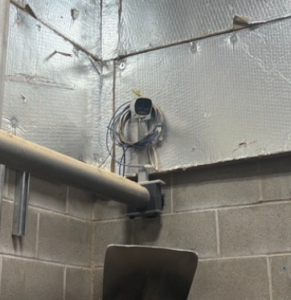
Older facilities shake, steam, and corrode. If you mount a standard camera on a vibrating machine or in a washdown area, expect replacements.
In high-vibration areas (e.g., sawmills and mines), use vibration mounts built to handle that kind of punishment. For example, our VM-1 and VM-2 mounts are designed specifically for high vibration applications to extend the life of cameras in harsh areas.
Our vibration mount is part of why an Opticom Tech camera survived being by a log in a sawmill—the mount absorbed all the shock and protected it.
Recording and Viewing: Pick the Right Control Layer
You’ve got two simple choices for managing and storing video:
- NVR (Network Video Recorder): An appliance with built-in storage that handles a limited number of cameras. It’s straightforward and cost-effective for small to mid-size systems or remote sites.
- VMS (Video Management System): Software on a server that scales across many cameras, buildings, and features (analytics, integrations, role-based access).
If you’re standardizing one line and a yard gate, an NVR is fine. If you’re unifying multiple plants, need audit trails, or want analytics and integrations, go with a VMS.
3 Questions About Replacing Older Video Monitoring Equipment
When we talk to facility managers about video monitoring systems for older facilities, we get often these questions:
- “Should we use industrial cameras everywhere?” Not necessary. Match camera type to the task and environment. Some areas require ruggedized cameras while others don’t. A hybrid approach is usually the way to go.
- “Can we use Wi-Fi?” Only if you must. Metal and moving equipment are unfriendly to wireless. If you go there, do a proper site survey and treat it as the exception, not the rule.
- “Who gets access?” Decide by role. Operators get live views of their areas and supervisors get playback, sharing, and offsite viewing capabilities. Keep access limited to those who need it.
- “Do we have to tear everything out and start brand new?” We’re a fan of saving and re-using what you already have. We build systems that take your current setup into consideration.
Need Help Retrofitting an Older Facility?
Older facilities are rarely uniform. One area has coax, another has high vibration, and another needs live feeds but doesn’t have the network infrastructure set up.
Opticom Tech’s equipment is built for these realities—industrial cameras for harsh environments, PoE for simple deployments, and vibration mounts that protect your investment.
More importantly, our expertise is also built for these realities. We have the expertise to help you build a system and an implementation plan that meets your needs and your budget.